

Chefy Go
The production view of Chefy - a clean, focused interface onto Chefy Core and the modules you've enabled, built for the people on the floor.

The same Chefy, focused for the people cooking.
Chefy Go isn't a separate app with its own data - it's a specialised interface onto the same Chefy Core information, reshaped for production staff. It strips out the admin and the analytics and gives the kitchen or bar a clean, fast channel to get the job done. Whatever modules you've switched on simply appear in the Go view, ready to use on the floor. One source of truth, two ways to work: the back office in Chefy, the floor in Chefy Go.
A focused production view
The same Chefy data, stripped of admin noise - just what the floor needs to get through service.
Core, plus your modules
Everything you've enabled shows up in Go: count stock when Stocktake's on, order when Procurement's on.
No training, any device
Quick and obvious enough to use mid-service, on any screen - at its best on a landscape iPad.
What the floor does in Chefy Go
A clean channel for the jobs that happen during service - drawing on Chefy Core and the modules you've enabled.
Run production for service
Go gives the kitchen or bar a clean production view from Chefy Core - what to make, in what quantity, against your costed recipes. The noise of the admin tools is gone; it's just the prep that matters.
- Production planning from Chefy Core
- Costed recipes, ready for service
- Keep preps and batches on track
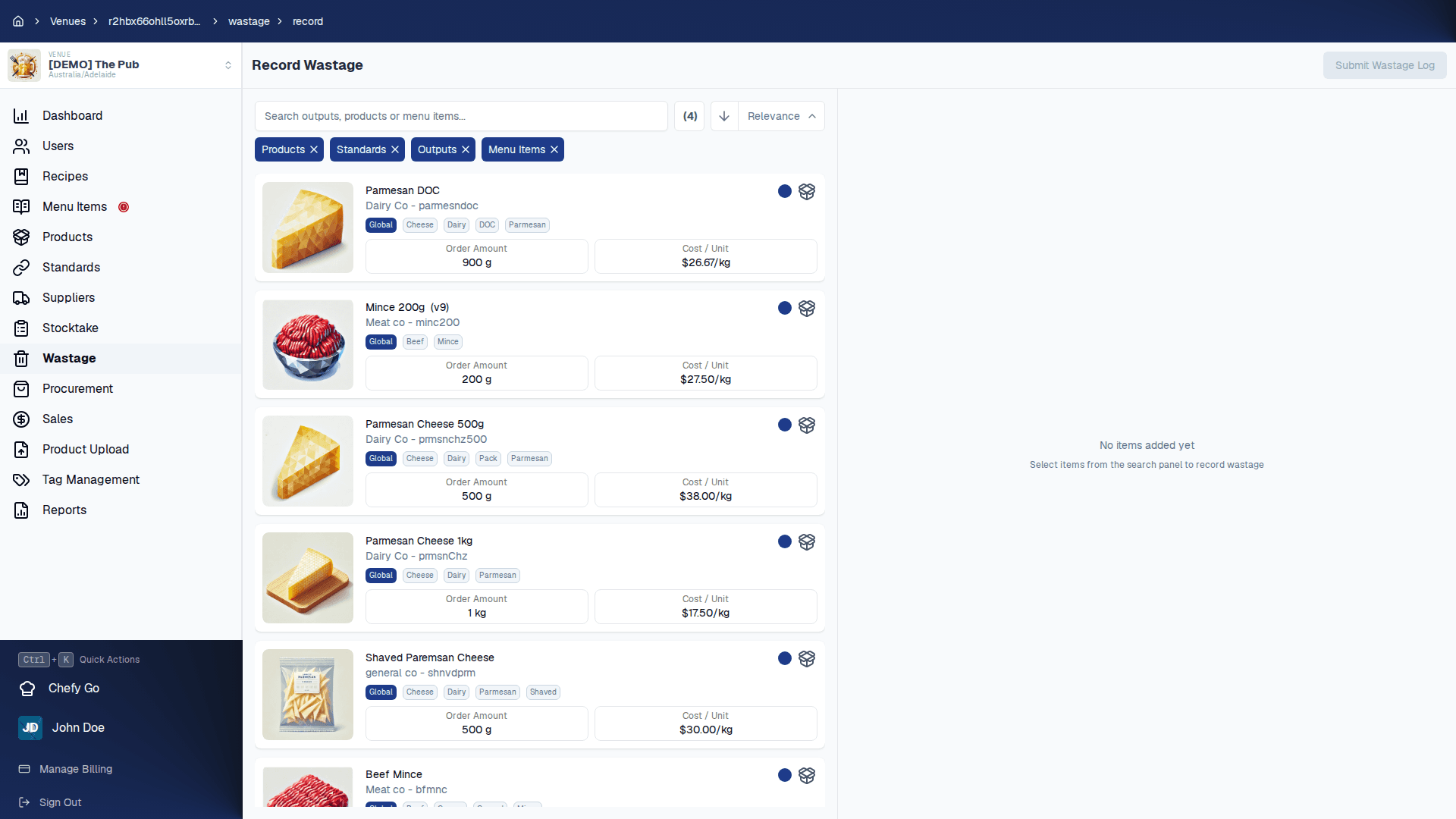
Log wastage where it happens
Capture waste on the floor in seconds, valued at live cost. Wastage is part of Chefy Core, right there in the Go view.
- Quick entry, mid-service
- Valued at live cost
- Feeds your wastage picture
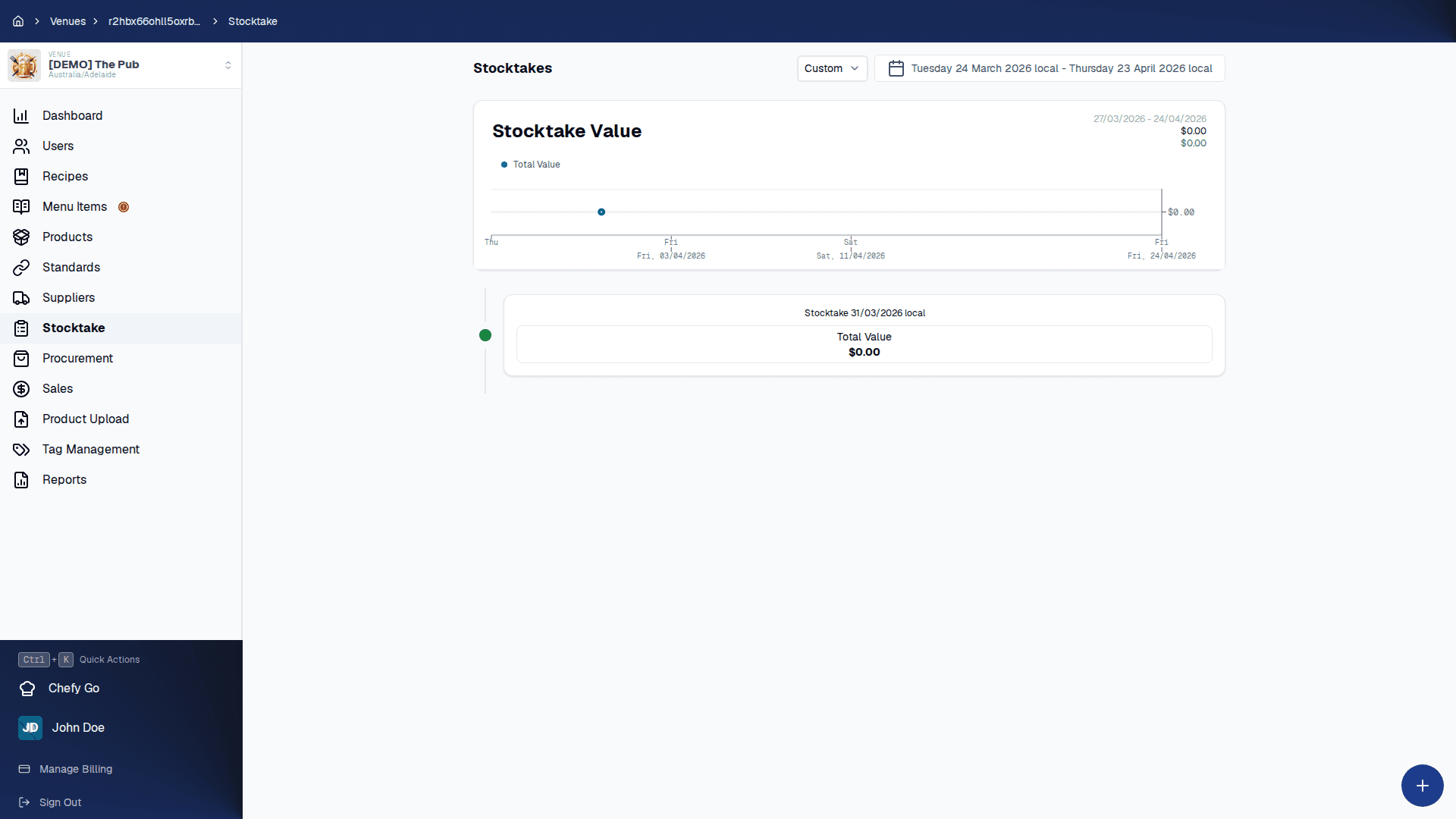
Stocktake on the floor
With the Stocktake module enabled, your team counts stock straight from Go - valued as they go, with no separate tool to open.
- Needs the Stocktake module
- Count by area, valued live
- Variance surfaced early
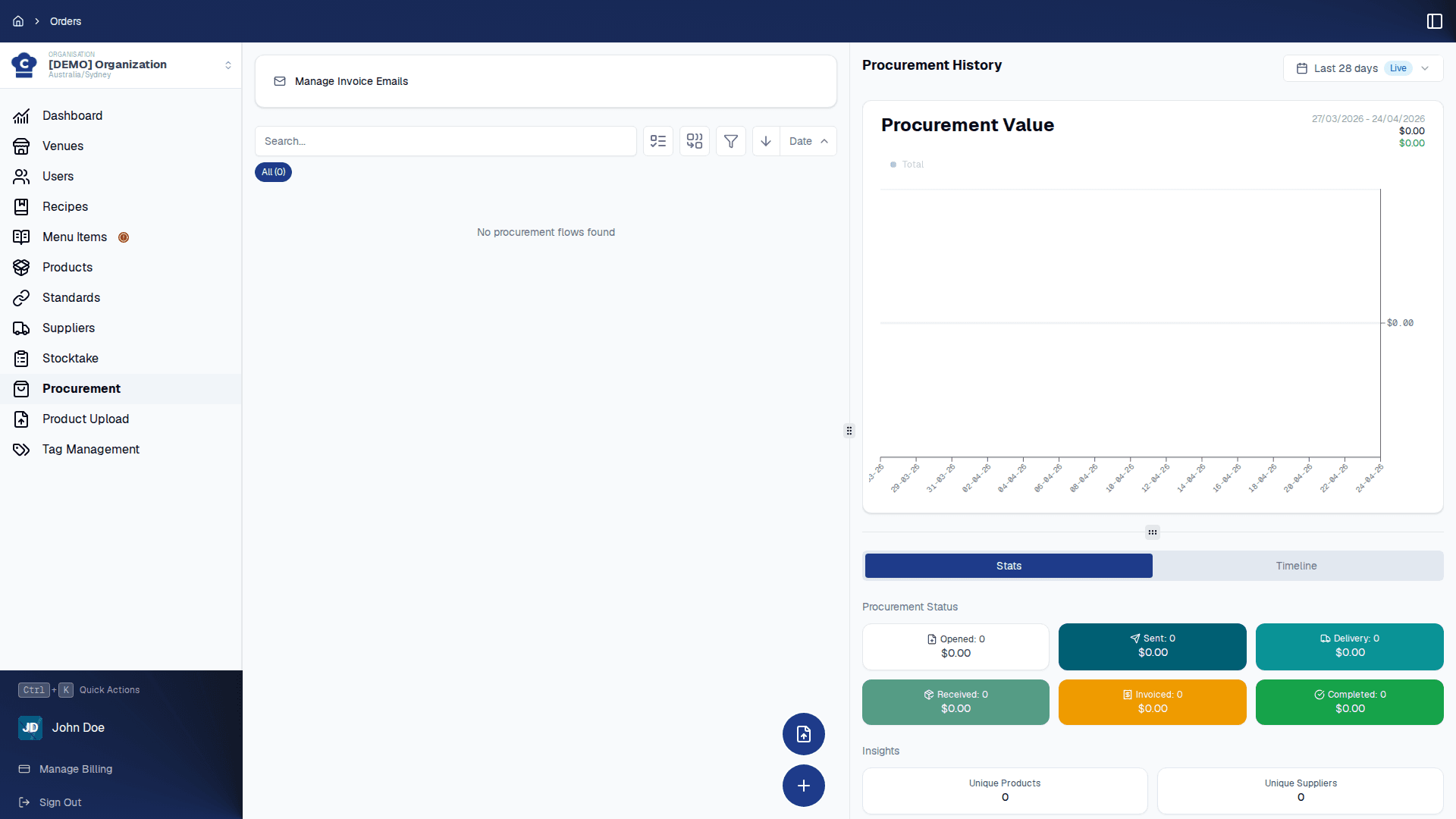
Raise supplier orders
With Procurement enabled, order from the floor against live stock and cost without leaving the production view.
- Needs the Procurement module
- Against live stock and cost
- Invoices flow back to costing
What Chefy Go delivers
One view
Core + your modules
Everything you've enabled, focused for the floor
No noise
Just the job
Admin and analytics stripped away
Any device
On the floor
At its best on a landscape iPad
Built for the floor
The production view is for the people doing the work, not sitting at a desk.

Kitchen or bar & floor team
The full system is built for the office, not the middle of service.
A clean view with just their jobs - no admin, no noise, on any device.

Head chefs and bartenders
Prep, counting and ordering live in notebooks and memory.
Run the production side from one focused view, all on Chefy's data.

Venue managers
What the floor does never quite matches the back-office numbers.
Same data, two lenses - the floor and the office never drift apart.

Multi-venue groups
Every site runs its floor its own way.
One consistent production view across every venue.
The floor view of one platform
Chefy Go is the same platform, seen from the floor. The back office works in Chefy Core and Chefy Admin - same data, a different lens.
Chefy Go FAQ
Is Chefy Go a separate app?
No - it's a specialised interface onto the same Chefy data, reshaped for production staff. The back office uses Chefy Core; the floor uses Chefy Go; it's one source of truth.
What can my team do in Chefy Go?
Whatever you've enabled. Production and wastage come with Chefy Core; counting stock needs the Stocktake module and ordering needs Procurement - they appear in Go automatically when they're switched on.
What device does it run on?
Any device - Chefy Go runs in the browser like the rest of Chefy. It's designed to work best on a landscape iPad at the pass.
See the floor view of Chefy
Book a 30-minute demo and we'll show you Chefy Go the way your team would use it.